Salesdrive TechnologiesRequest a walkthrough

Oracle AI World 2026 · October 25–28 · Las Vegas

Pay people right. Close quotes faster. Keep freight moving.

Give sales, deal desk and transportation teams a clearer way to work in Oracle. Trace a pay change, review a quote or investigate a shipment exception—with the record, evidence and next action together.

Explore real application screens with sample data. Choose the workflow your team needs to see.

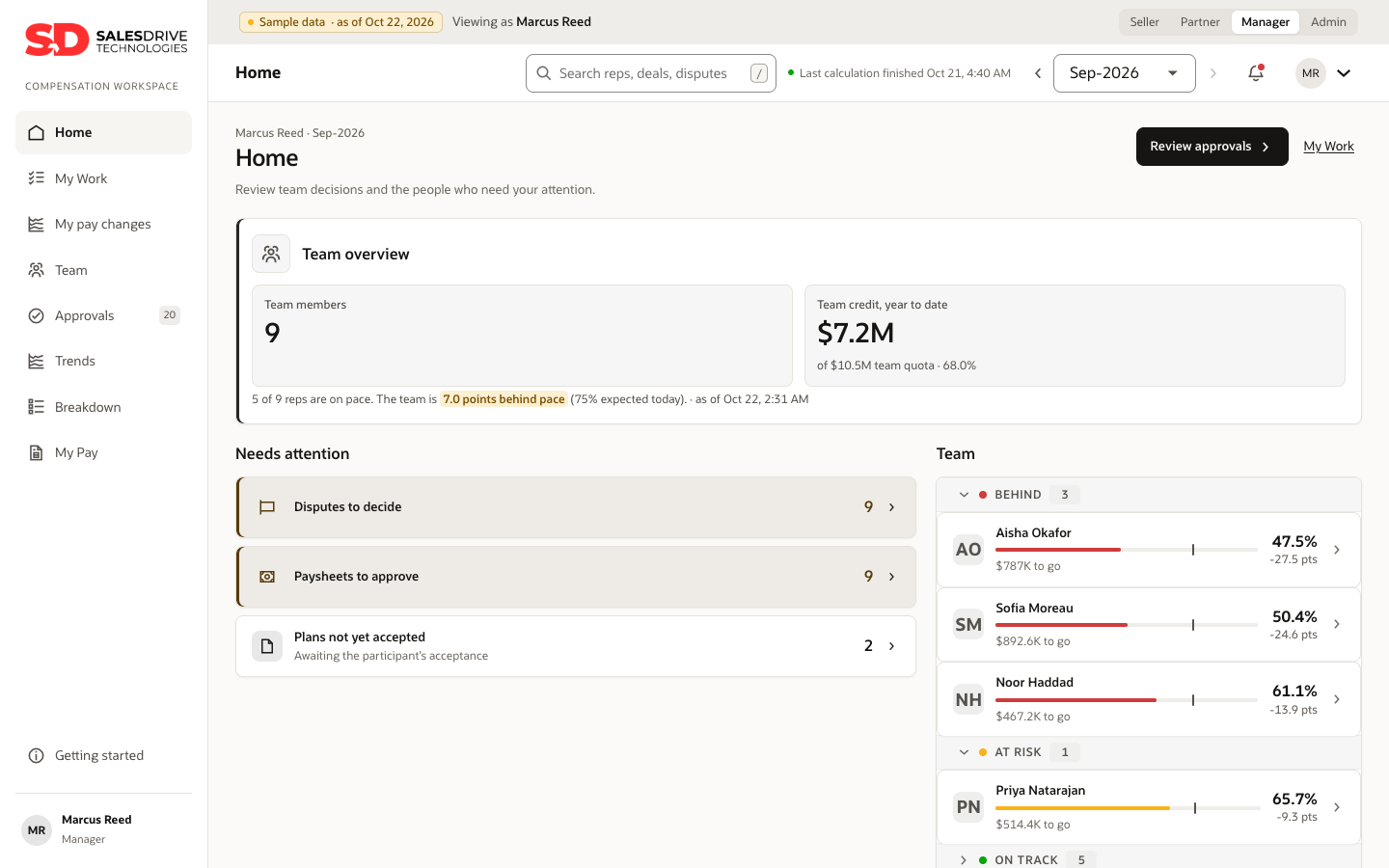
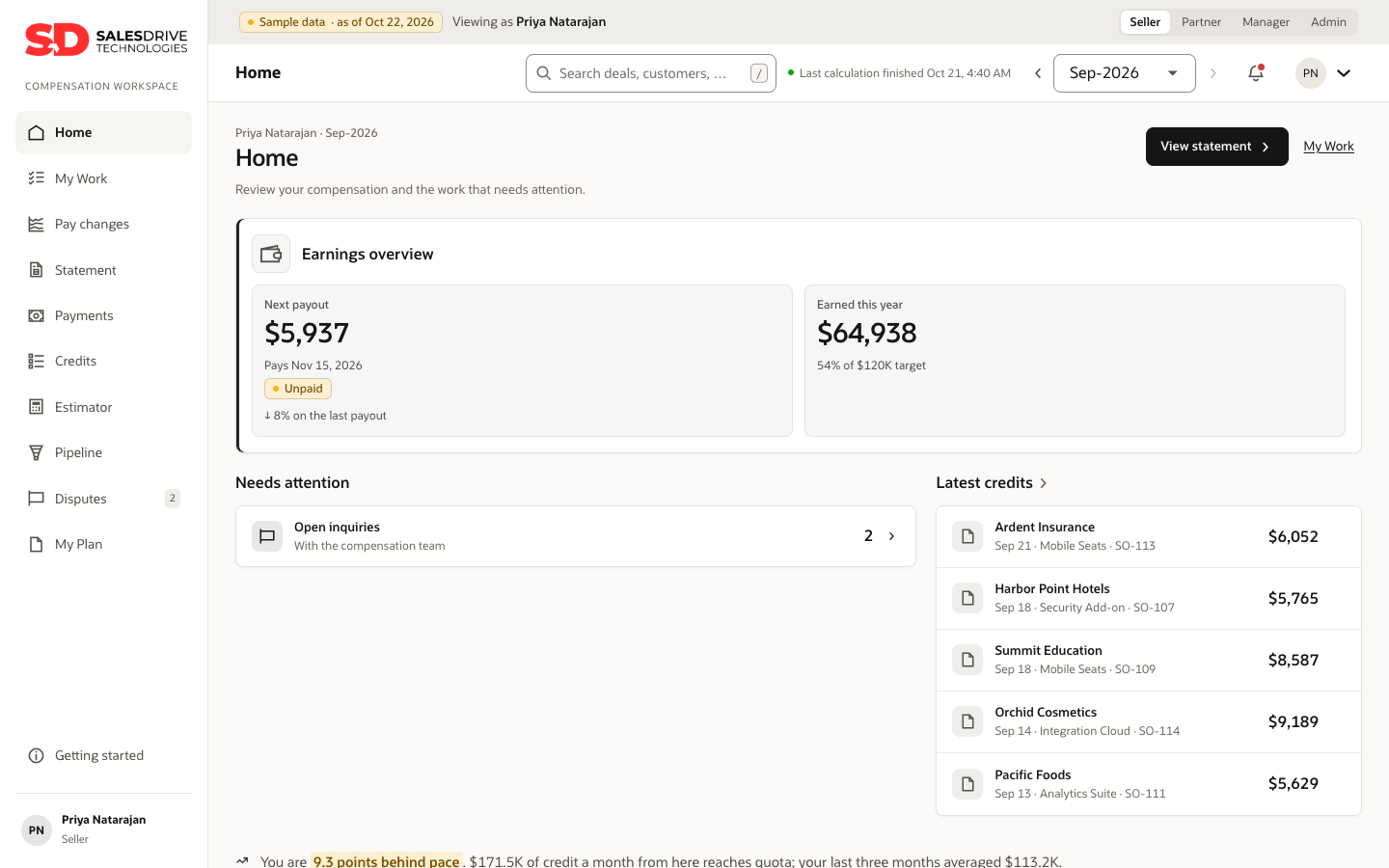
Salesdrive Incentive Compensation seller home showing next payout, earned this year and latest credits
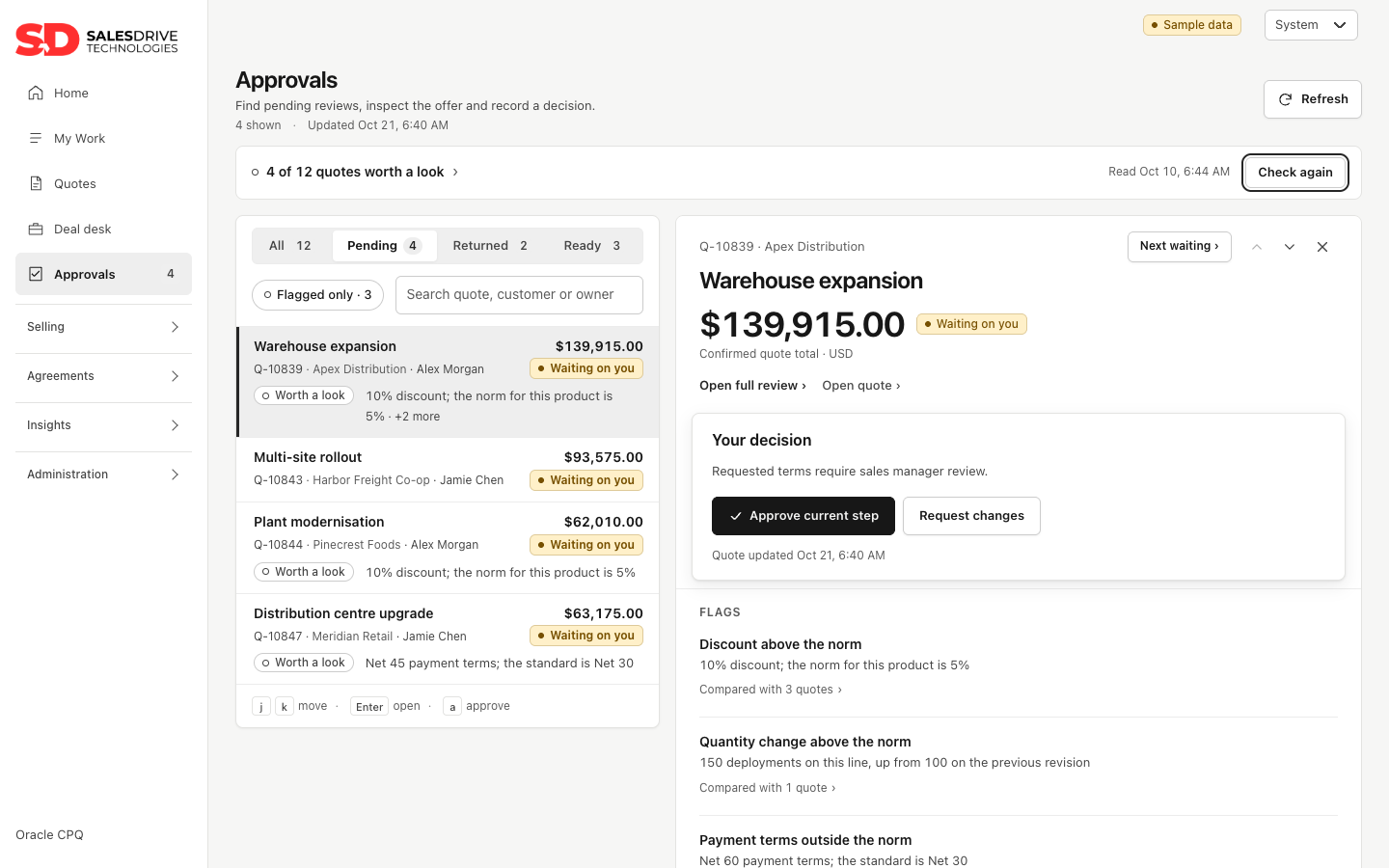
Quote Q-10839$139,915.00Waiting on you
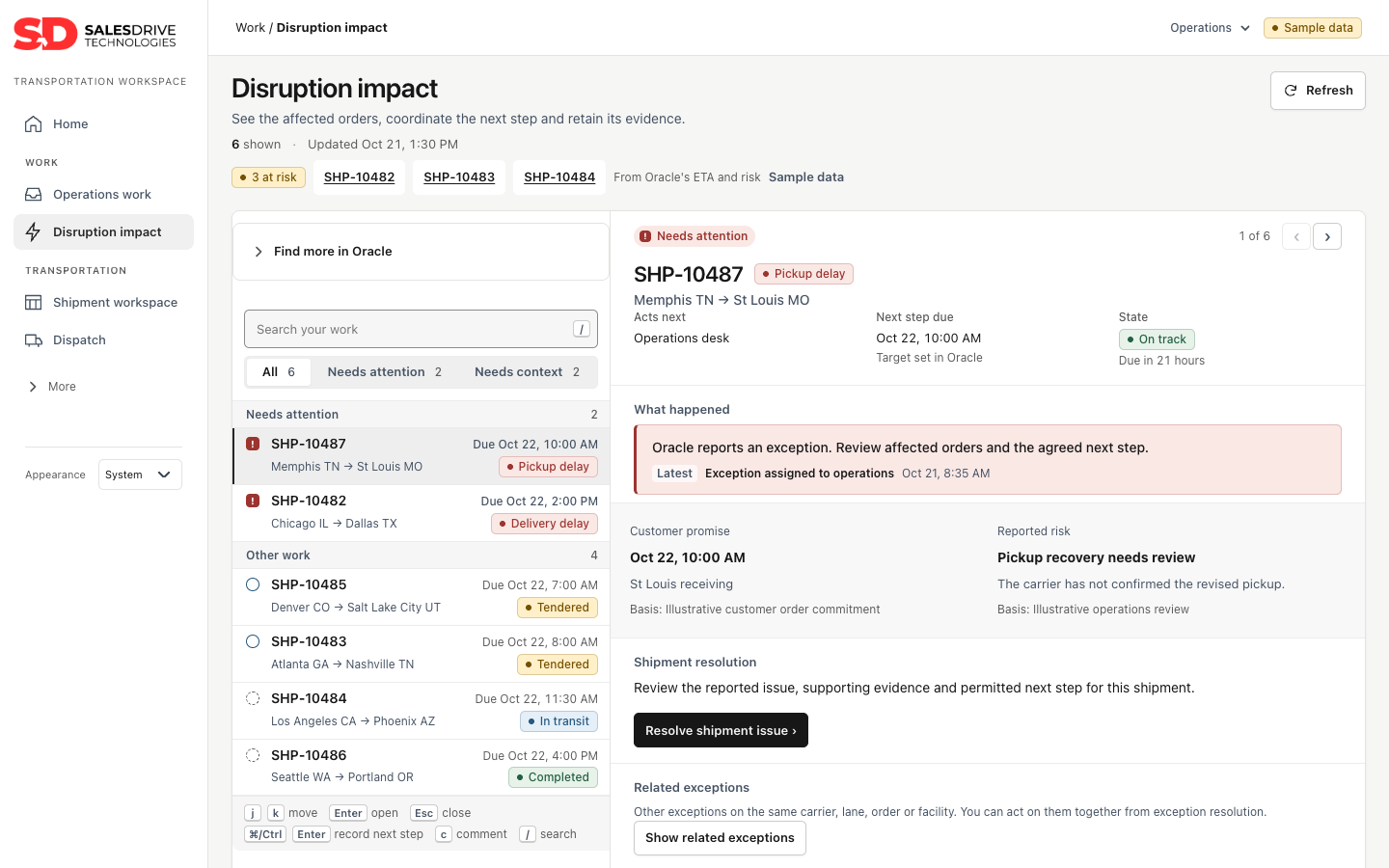
Shipment SHP-10487Pickup delayNeeds attention
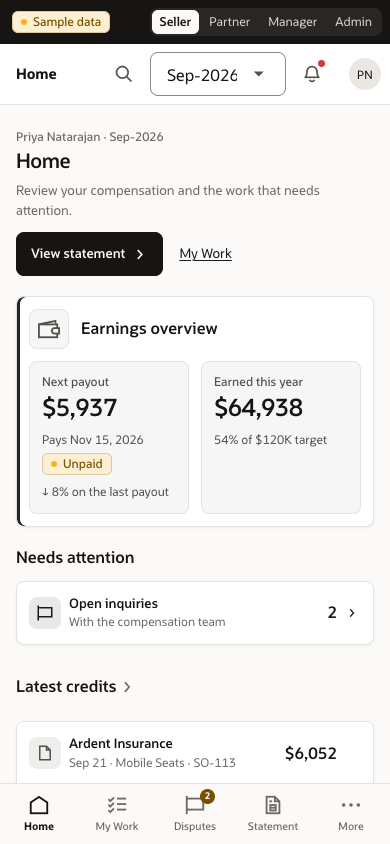
The same seller home on a phone

What each app delivers

Start with the problem on your desk.

Pick a workflow below. We’ll tailor the walkthrough to the people who use it.

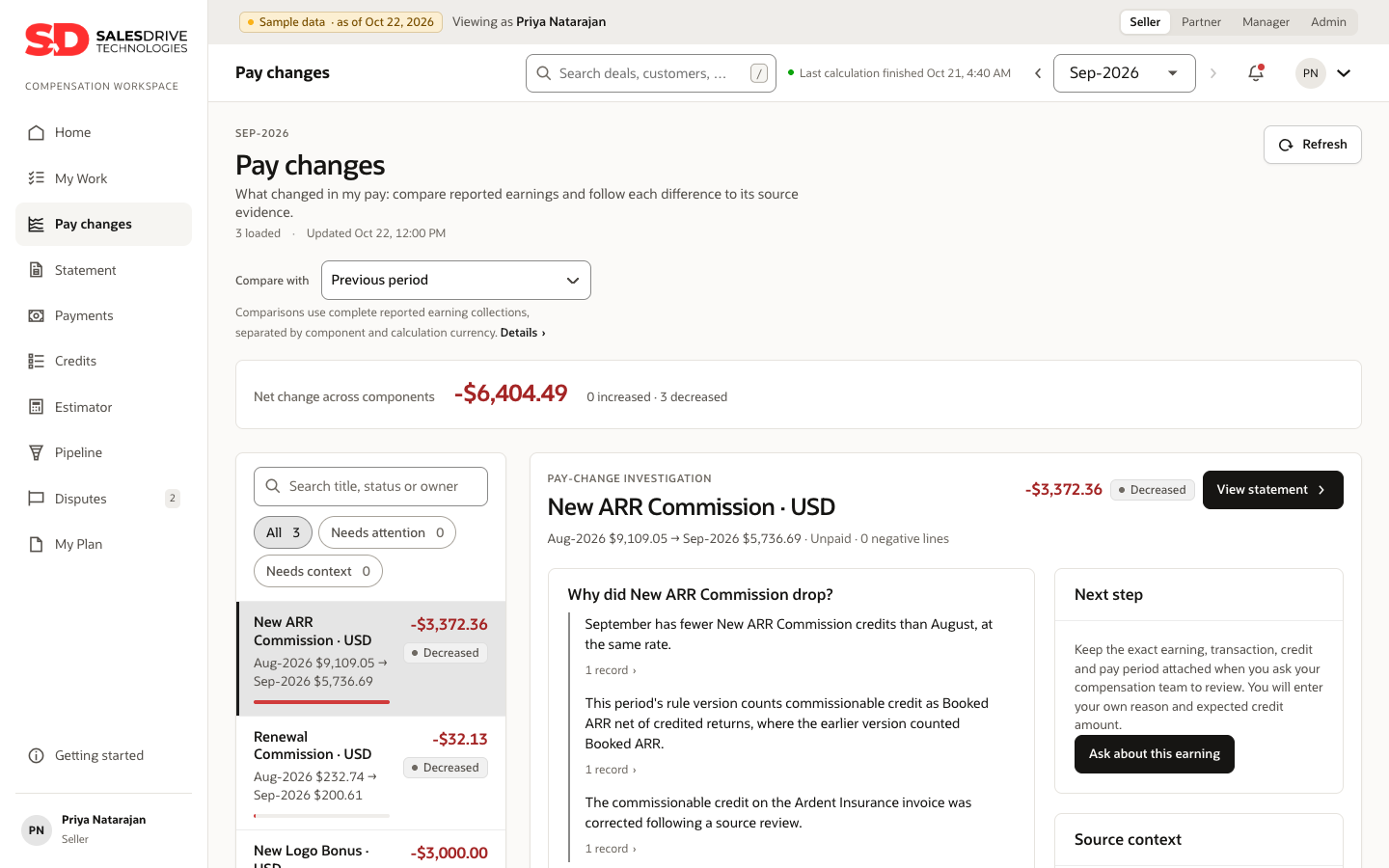
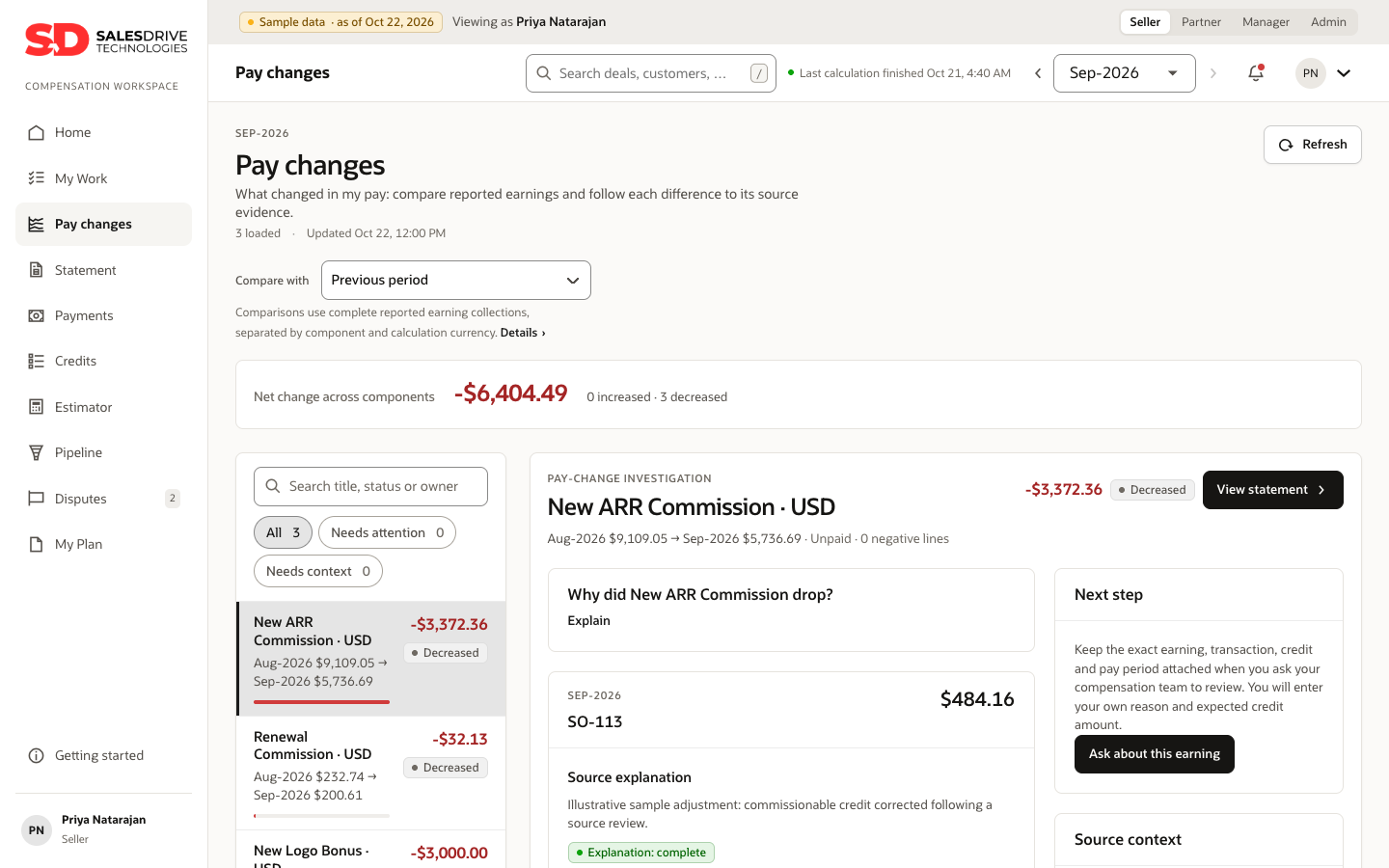
Pay changes page explaining why a commission dropped
ICM · INCENTIVE COMPENSATION

“Why did my commission change?”

Give sellers the credit, rule and payment context behind their number, with a clear path to raise a dispute.

  • Next payout, year to date and pace to quota
  • Every pay change traced to the credit, rule and payment behind it
  • Disputes tracked to a due date and owner
  • A deal estimator that shows what a deal would pay
Request an ICM demo
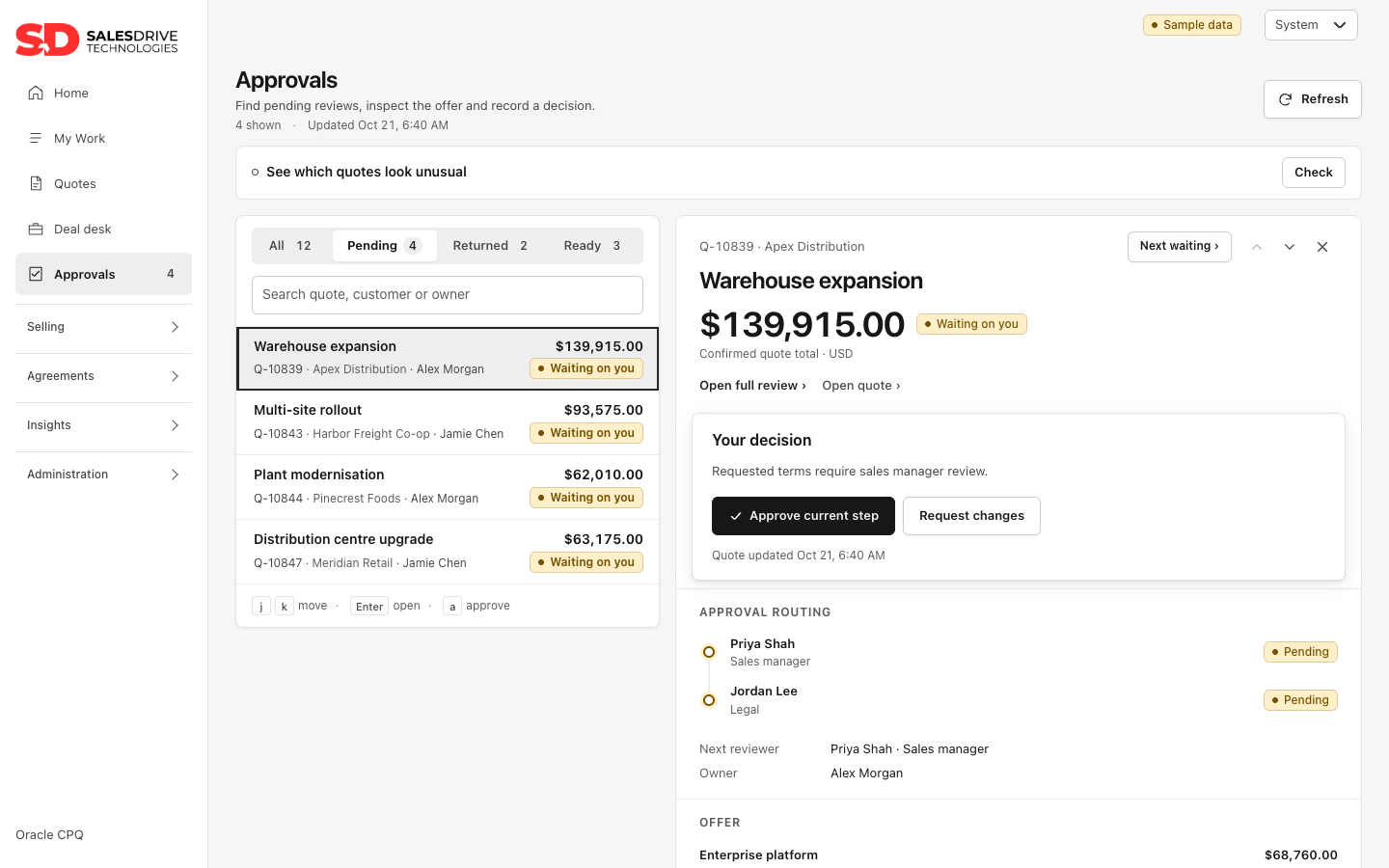
Quote approvals with routing and decision buttons
CPQ · CONFIGURE, PRICE, QUOTE

“What is holding up this quote?”

Bring the quote, approval routing and unusual terms into one review, so the next decision is clear.

  • Approve or return a quote in one step, with the routing beside it
  • Unusual discounts and terms flagged, compared with similar quotes
  • Renewals and amendments handled from the same quote
  • Reviewers approve from a phone
Request a CPQ demo
Disruption impact page for a delayed shipment
OTM · TRANSPORTATION

“Which shipment needs us now?”

See the shipment exception, affected orders and next owner together, then coordinate the response.

  • At-risk shipments, the orders they affect and who acts next
  • Carrier responses, appointments and receiving in one place
  • Freight invoices audited and claims tracked to closure
  • Carrier performance you can hold a carrier to
Request an OTM demo

See it by role

Everyone starts with their own work.

Know what you’ve earned, and why.

Reps open on their next payout and pace to quota. When a number moves, the page shows the credit and rule behind it.

  • Next payout and earnings year to date
  • What changed since last period, by component
  • What a new deal would pay
Pay changes for a seller

Designed around the decision

The context to move work forward.

Less time on pay questions

Put pay changes and their source context within reach of the rep, before a question becomes a support request.

Faster quote-to-approval

The next decision is always in front of the reviewer, with the offer and routing beside it.

Problems found early

Bring at-risk shipments and unusual quote terms into view so teams can decide what needs attention.

Changes reviewed before they go live

Plan, pricing and carrier-network changes are shown next to what runs today, with who is affected, before anyone confirms them.

Quicker for people to adopt

Role-specific starting pages and phone layouts keep relevant work close at hand. Validate adoption with your team during a pilot.

Built on the Oracle you run

Designed to connect to your Oracle services and sign-in. Your implementation establishes service connections, roles and permissions.

Oracle AI

Answers on the page, not in a ticket queue.

Request an explanation beside the record you are reviewing. Oracle AI Agent Studio provides the response when configured in your tenant; a person reviews it before acting.

  • “Why did this commission drop?” Answered in plain English, with the records behind it
  • Which quotes look unusual, and compared with what
  • Patterns across open shipment issues to investigate
  • Describe a plan rule in plain English and get a formula draft to review

Shown with sample data. Oracle AI requires tenant setup and administrator enablement; usage is billed under your Oracle agreement.

Pay changes with Oracle AI explaining why a commission dropped

Next step

Bring one workflow. We’ll show it working.

Choose a pay question, quote decision or shipment exception. We’ll use sample data to walk through the workflow, then discuss what connecting it to your environment would take.

01 / THE WORKFLOWFollow one task end to end

Start at the role’s home page and open the evidence behind the decision.

02 / THE FITMap it to your Oracle setup

Discuss service connections, permissions and the work needed before production.

03 / THE NEXT STEPDefine what to evaluate

Identify the users and acceptance criteria for a focused evaluation.

Request a walkthroughOpens an email request; a meeting is confirmed separately.Vijay Bhamidipati · Salesdrive Technologies
vbhamidipati@salesdrivetech.com